
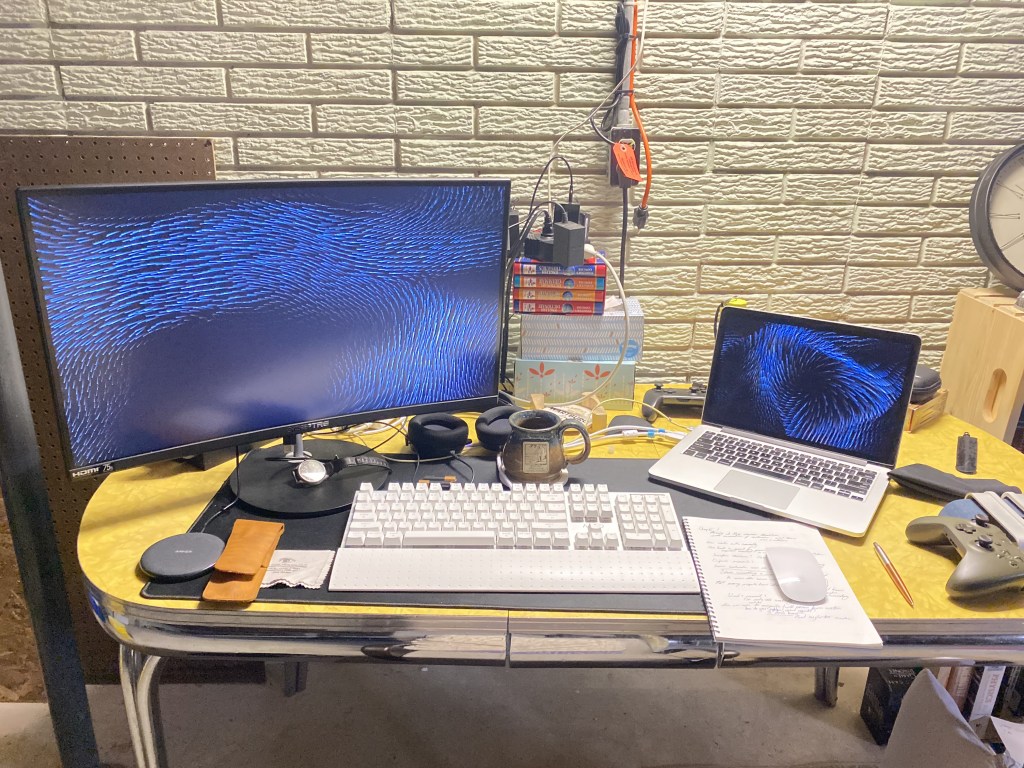
Oh boy, Spencer is going to talk about the digital tech he uses.
Yes, I am. And perhaps this will be terribly dull. However, I find it interesting to hear how other people use tools of their trade to work at their best and I think this will be a good way for me to reflect on my workflows to better understand how I work, what is working, and where I can make improvements in the future. This will be the first of three parts, wherein I will cover computer hardware. The next will cover software and the final will be a sort of lightning round of accessories and gadgets. Originally I thought I could put all three sections into one, but after getting most of the way done talking about the hardware I use, I knew this was going to be a multi-part narrative. I am going to only cover what I use for my work as a researcher, tutor, and public historian. There will be future projects where I will talk about leisure activities and the many tools related to my life outside of classrooms, archives, and museums (I am especially interested in talking about my audio collection). With that business out of the way, I will get started.
I have been in the Apple ecosystem for nearly a decade at this point. My parents acquired a Mac Mini during my Junior year of high school. I got an iPhone 5s my senior year. In high school, I was rather OS agnostic, as I think most high schoolers are. My school’s computer labs were all windows machines from when I first learned how to type in the third grade through high school. Additionally, my high school acquired Chromebooks which were given to specific classrooms and later expanded to most classrooms. We never went “one-to-one” where we were given a laptop that we took home and used throughout the day. I really did not have many opinions on what computer I used or what software I used. However, this changed after I went with my brother to a Best Buy in Dubuque to purchase my first personal computer: a 2015 13 in MacBook Pro.

This laptop was incredible. The keyboard felt good to use. The chassis was rigid and felt durable. The IO was great: two thunderbolt 2 ports, which I would not acquire peripherals for until much later, a full sized HDMI port, two USB A ports, an SD card reader, an 1/8 in headphone jack, and a MagSafe 2 charging port. I was the envy my peers who got 2016 and late MacBooks with very limited IO and the notorious Butterfly Keyboards. This is the computer I learned so much about networking, software, and operating systems on. While I was never not interested in computers growing up, this laptop gave the opportunity to take a deep dive. My entire undergrad was spent on that computer. I wrote every history paper, lab report, book review, and chemistry homework project on that machine. There were two issues which reared their ugly head by the time I entered my master’s program with my computer, five years after acquiring it: the screen had terribly lost its clarity due to my sweaty hands interacting with the screens anti-glare coating and the fan which would always be running the moment you opened any application or watched a video. These were mitigated when I created a desktop set-up where the Mac was in clamshell mode (lid closed while plugged into a monitor, keyboard, and power). However, my graduate program, in a post-Spring 2020 world, was heavily reliant on video conferencing and real-time online collaboration with projects. I needed to make a change because I already was dropping calls and had to write almost exclusively offline.
In the spring of 2020, Apple made the announcement that they were going to begin their transition to their own SoCs (System On a Chip) processors using the Arm architecture. Nobody at the time was really sure what this would mean for the Mac but many were hopeful that it would mean that the prestige of their smartphones processors would be transferable to their desktop and mobile computers. Not long after their fall announcement of the M! Mac Mini, MacBook Air, and MacBook Pro (13 in.), I ordered a new computer, trusting that this new architecture was going to be a massive leap not only from my five-year-old computer, but from even the previous generation. Boy, did it ever deliver.
I purchased a 13 in MacBook Pro with 16 GB of RAM, twice what I had in my original Macbook, and a larger SSD. Because I was a student, I enjoyed a discount and the ability to get both Final Cut Pro and Logic Pro at reduced prices pre-installed. Instantly, I was amazed by the speed and performance of this machine. It turns on instantly from wake. It never stutters. I only hear the fan turn on when I playing a game, which one should come to expect from a Mac (except now with the release of the Game Port Toolkit, but that is a story for another day). I bought a cloth for my keyboard right away and regularly clean the screen to preserve the screen’s integrity.

I was most excited and still find myself baffled by the functionality of the touch bar. While the elimination of the function row in favor of an OLED strip was a controversial choice that many nerds found themselves at issue with, I was delighted to finally get to use it after seeing my peers use theirs in my undergrad years. Now, I will admit that the functionality of the touch bar requires you to use the default Mac apps, which I do not do much of, or to download Better Touch Tool, which I did. But, again, this is a story for another time. While I do find it annoying on the occasion that mistakenly tap the mute button in the upper right-hand corner, I love the touch bar and hope that this model of MacBook either continues to exist or Apple finds a way to reimagine this feature because I am reliant on it.
There are a few compromises with this computer that were hurdles at first, but are now essentially non-issues. Firstly, the IO is garbage. I don’t even mean by the standards I had from my previous laptop. In general, the shockingly limited IO in the M! MacBooks is a hard adjustment. You get 3 ports, one 1/8 th in headphone jack, and two Thunderbolt 4 ports. As someone who had an iPhone and iPad, the Type-C USB transition really did not mean much to me, it was just another connector. With the purchase of a desktop USB-C dock and a double USB-C mobile dock from Anker, I was able to recoup some sanity. Still, it was a hard reality of this new chip. This was far and away the biggest issue I have with my Mac. Back in 2020, there was some concern with the compatibility of software with this new line of processors, but Apple’s Rosetta 2 translation layer made for practically no issues with any software I used with any regularity. Lastly, the web camera is not great. This matters less to me know, but back in 2020 and 2021, I cared about how I looked to others on Zoom calls and therefore purchased an external webcam to make up for this deficit.
The form-factor of the 13 in MacBook works well for my profession. It is easily portable as it fits in most any backpack and is light enough to move around with. The latter cannot be overstated how important it is to be able to move throughout an archive or exhibit without feeling like you are going to drop your computer or risk getting an RSI. Additionally, because of the superior efficiency of the M1 processor, this machine’s battery lasts for what feels like forever. Sure, if I am preforming an intensive process like video editing or graphics work, the battery life dips. But the change is from around 18 to 20 hours of on-screen time to about 10. Still way more than a single work day (generally).
Lastly, the integration that is offered by Apple if you choose to invest into their other products makes life that much easier. My Macbook is my primary device for all work.
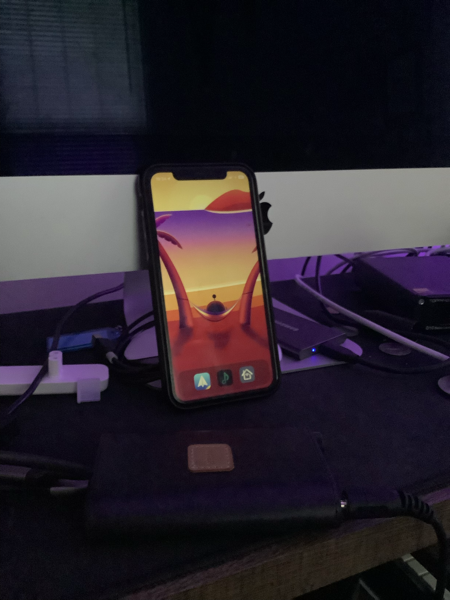
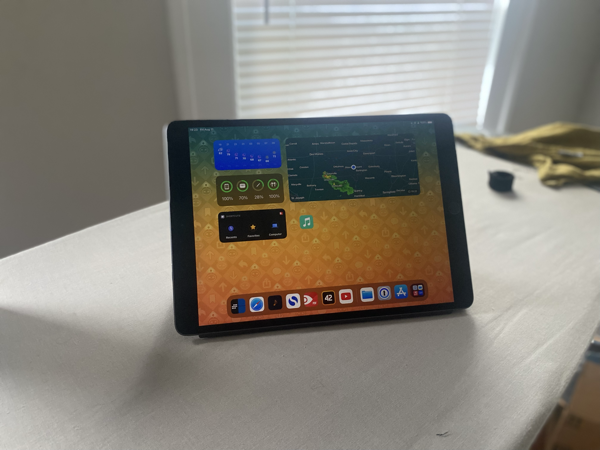 My phone, an iPhone 11, and my tablet, a third generation iPad Air, are wonderful devices, but I use them for a fraction of the time on a work day that I use my Mac. My iPhone is for phones calls, time tracking (a whole topic in of itself), logging travel expenses, and the occasional email check. My iPad gets even less use, acting as a document viewer and not much else. When creating a presentation with illustrations I do also use the iPad with an Apple Pencil and Procreate to make quick mock ups and sketches before finishing them on my mac. Lastly, the camera on my phone is perfectly cromulent for taking scans of documents or forms to be edited on my iPad after capture. This touches on the convenience of iCloud storage I am able to have all documents synced between all of these devices on the off chance that I do not have access to my mac and need to pull something up in a pinch. These latter two devices are just not a priority in the way I work and I think this is fine. I may have to experiment more in the future, but as you can probably tell, my mac is my workhorse and my personal assistant.
Using good hardware is necessary to produce good work. I feel the devices I use, despite compromises present, set me up for success. However, this is only half of the equation. In a future post I will break down the applications I use every day, from database management, to web browsing, to my primary workspace: the command line. But that will be for another day.

 Spencer A. Barton
Leave a comment